
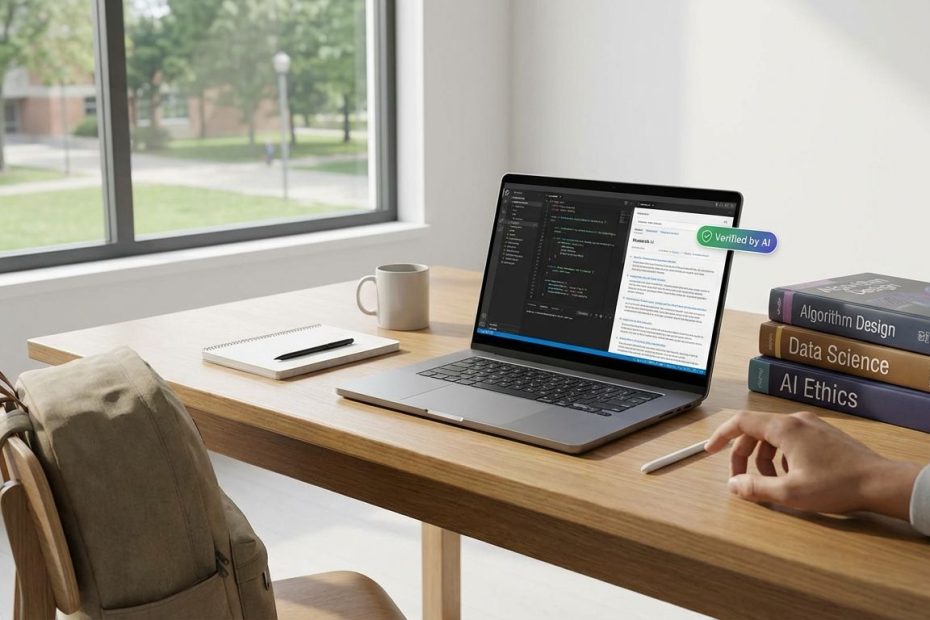
AI belongs in your daily STEM workflow the same way a calculator and a good notebook do: always available, fast to deploy, and tuned to the way you learn, build, debug, and write.
Set it up once, align it with your course policies, then run it like a repeatable system for lectures, problem sets, labs, coding assignments, and research writing. You’ll leave with a practical “AI backpack” you can carry across classes without wasting time on tool-hopping or unreliable outputs.
What Are The Best AI Tools STEM Students Should Carry “In Their Backpack” In 2026?
Think in functions, not brands. Your “AI backpack” earns its spot when it does three jobs reliably: it helps you study from your own materials, it helps you code where you actually code, and it helps you write with verifiable sources.
That translates into a tight stack: a course-material-grounded tutor for notes and PDFs, an IDE-native coding copilot for real development speed, and a writing or research assistant that prioritizes reference checking over fancy prose. Add one more element that most students ignore until it hurts: a privacy-safe place to store course artifacts and drafts, especially when team projects, lab work, or internships enter the picture.
Notebook-style tools work best when they stay anchored to what your professor actually taught. NotebookLM has been positioned around that idea, and recent coverage highlights features that matter to students who collaborate: sharing notebooks publicly while still preventing viewers from editing the notebook itself, and letting viewers interact with generated audio overviews and Q&A experiences tied to the notebook content.
On the coding side, STEM students get disproportionate value from tools that live inside the editor. Copilot-style assistance shortens the time between intent and working code, and that matters whether the class is Python for science, C for embedded, MATLAB-like workflows, or a full software engineering track. The economics also changed: verified students can qualify for Copilot Pro at no cost through GitHub’s documented access path, which removes a major adoption barrier.
For writing and research, the backpack job is not “sound smart.” It is “stay correct, stay sourced, stay consistent with your lab notebook and citations.” You want an assistant that helps you audit references and keep your claims aligned with your inputs, because the penalty for fabricated citations is often worse than the penalty for a weak draft.
Is Using AI For Homework “Cheating,” And How Do Universities Actually Define Acceptable Use?
Course policy sets the boundary, and the simplest operational rule is this: if the work is authored by a tool or another party and you present it as your own, you’re walking into academic misconduct territory. Universities and teaching centers have moved toward direct, explicit guidance: permitted use depends on instructor direction, disclosure expectations, and the nature of the assignment.
USC’s academic integrity guidance emphasizes that representing someone else’s authorship as your own is a core problem, and it encourages instructors to spell out generative AI expectations in the syllabus so students are not guessing. Cornell’s teaching guidance similarly stresses setting clear expectations and pushes students toward careful verification of references and citations when AI is involved, because errors can slip in even when the writing reads confidently.
Policies are also catching up to how enforcement works in real classrooms. Stanford reporting on generative AI and exam policies highlights institutional work focused on exam integrity and the practical limits of detection-style enforcement, which nudges you toward a safer, smarter tactic: follow the stated rules, document permitted use when required, and keep your intermediate work (notes, derivations, commits) so your learning trail is easy to demonstrate.
In day-to-day terms, keep AI use aligned to learning outcomes. Use it to clarify steps, check reasoning, and pressure-test your solution path. Avoid using it as the final author of a submission unless the assignment explicitly allows that. When a professor says “show your work,” treat that instruction literally: keep derivations, keep code iterations, keep lab calculations, keep citations you personally verified.
How Do STEM Students Use NotebookLM For Studying (And Why Do People Keep Talking About Flashcards And Quizzes)?
The fastest way to turn AI into a study advantage is to force it to stay inside the fence of your class materials. When you feed it lecture slides, PDFs, problem sets, and your own notes, you get targeted summaries, concept maps, and question banks that match what you will be tested on, not what a generic model “thinks” is important.
Students talk about flashcards and quizzes because retrieval practice is the part of studying that most people under-execute. Notebook-driven Q&A workflows reduce friction: you import the material once, then keep generating prompts that make you recall definitions, assumptions, derivation steps, and edge cases. That is why threads keep surfacing around practice exams and question generation, including reports of repeated outputs when users attempt to generate new practice exams from the same sources and prompts.
Flashcards become even more valuable when they behave like a real spaced repetition system. Student discussions show a common move: export flashcards into an external SRS workflow so the schedule and review mechanics are consistent across courses. Another recurring theme is feature availability and rollout behavior, with users posting when quizzes and flashcards appear, shift, or return, which reinforces a practical rule for your backpack: keep an exportable format and a backup review path so one tool change doesn’t break your exam preparation cycle.
Operationally, set up NotebookLM (or any course-grounded notebook tool) around small, testable units. Split sources by topic and week, then generate quizzes per unit. When output starts to feel repetitive, change the constraints: ask for mixed difficulty, force question types (short answer, derivation checkpoints, units analysis), and require the tool to cite which chunk of your notes supports the answer. If the tool cannot point back to your materials, treat the output as untrusted until you validate it.
What’s The Best AI For Coding Help In STEM Classes: Chat, Copilot, Or An AI Tutor?
For coding-heavy STEM, you get the most day-to-day speed from IDE-integrated copilots because they reduce keystrokes and context switching. You stay in the editor, keep your mental stack intact, and move faster through boilerplate, syntax, unit tests, and refactors. That matters when the assignment is long and the grader is strict.
Conversational chat tools earn their keep when you need explanation, debugging strategy, or a second set of eyes on design tradeoffs. They also help when you are outside the IDE: sketching algorithm choices, comparing numerical methods, or planning a lab data pipeline. The risk is that chat tools can hand you a plausible-looking answer that compiles but fails the hidden tests, violates the assignment constraints, or teaches you nothing about why the solution works.
Tutor-style agents sit between those two modes. They aim to coach you through reasoning steps rather than dumping final code. Recent research on programming assignment tutoring agents reports systems designed to provide step-by-step guidance for learners, and classroom orchestration work emphasizes instructor control over the kind of feedback students receive, including hint-oriented support instead of direct solutions.
Pick based on the failure mode you can’t afford. If deadlines are crushing and you already understand the concepts, IDE copilots deliver the best throughput. If grades depend on showing reasoning, or you feel shaky on fundamentals, tutor-like guidance and explanation-first workflows protect learning outcomes and reduce the odds of submitting something you can’t defend in office hours.
Also factor in access. GitHub documents a path for verified students to get Copilot Pro for free, which changes the cost equation and makes it easier to standardize your setup across a semester.
How Can You Trust AI Answers In Math And Science, And Avoid Hallucinated Citations?
Trust comes from enforceable checks, not good vibes. In STEM, the right workflow forces the assistant to expose assumptions, units, boundary conditions, and the actual reference trail behind claims. When the tool refuses, stalls, or invents a source, that behavior itself is a signal that the output cannot be used as-is.
Start with a “sanity block” you ask for every time: list variables and units, state assumptions, show the derivation path at a high level, and give a quick back-of-the-envelope estimate. That single habit catches common errors: wrong sign conventions, unit mismatches, missing constants, and solutions that look elegant but violate physical constraints.
Then treat citations as a verification job you own. Cornell’s guidance flags the need to verify citations and references when generative AI is involved, and research on citation auditing proposes protocols focused on systematic checking rather than trusting the model’s output.
If you want a process that scales across multiple courses, implement a two-pass check. Pass one is correctness: redo key steps manually, validate units, compare against lecture examples, and run quick numerical tests. Pass two is provenance: open every cited source, confirm it exists, confirm it supports the claim you are making, and confirm the citation format matches your department’s expectations. If a reference cannot be verified in under a few minutes, it does not belong in a graded submission.
What AI Tools Are Free Or Discounted For Students Right Now, And What’s Worth Paying For?
Start with whatever your campus already supports, because campus deals often include identity controls, admin settings, and privacy terms that consumer plans don’t. That matters more than students expect, especially when group work, lab research, or internship-adjacent work lands on the same laptop as your coursework.
On the verified, documented student offers side, GitHub’s documentation outlines free Copilot Pro access for eligible students through GitHub Education, with ongoing eligibility checks. Microsoft has also promoted student-oriented access for Copilot in Microsoft 365 apps, including a time-limited free trial offer described in its Microsoft 365 blog post dated May 12, 2025.
Institutional rollouts can also change what “free” means in practice. OpenAI’s ChatGPT Edu announcement describes an education-focused offering for universities, positioned with enterprise-style controls and institutional deployment considerations. If your school provides an approved AI platform, prefer it for course materials and drafts that could contain student data, grades, or collaboration notes.
What is worth paying for depends on your major and workload. If you code daily, an IDE copilot can pay you back in hours per week. If you write lab reports and research summaries constantly, prioritize a toolchain that improves source handling, reference checking, and revision speed. If you mainly need studying support, a grounded notebook tool plus a reliable SRS system often beats paying for a general chat tier you only use during midterms.
What Privacy Or Security Risks Should You Think About With AI Note-Takers And Meeting Bots?
Auto-join, auto-record, and calendar-connected bots create risks that students underestimate. When a tool can join meetings automatically, it can collide with classroom policies, lab confidentiality norms, internship NDAs, and basic expectations of consent in group work. It also creates practical friction: some organizations actively block these tools at the network level because of the way they attach to meetings and capture content.
Student-facing discussions often show the reality bluntly: administrators and technical teams treat AI note-takers as a control problem when they can auto-join or record meetings, which should signal how those tools will be received in research and workplace settings. In parallel, university policies increasingly warn against uploading personal, confidential, or proprietary information into generative AI tools, pushing students toward careful handling of what gets pasted into prompts.
Operational rules keep you safe without slowing you down. Keep graded exams and quiz banks out of third-party tools. Keep unpublished research, lab data, and sponsor-linked documents out of consumer AI accounts. Keep internship work in employer-approved systems only. When you must use AI for a sensitive task, use institution-approved tools with clear data terms, or strip identifying details and only feed the minimum content needed to get the job done.
What AI Tools Should A STEM Student Use Daily?
- Course-grounded study tool (notes/PDF Q&A)
- IDE coding copilot
- Citation and reference verification workflow
- Privacy-safe storage for class materials
Build Your AI Backpack And Run It Like A System
AI becomes essential when it runs on repeatable habits: capture course materials once, generate retrieval practice weekly, validate math and science outputs with units and checks, and keep coding help inside the editor where it preserves focus. Keep the policy line clean by aligning tool usage to each course’s rules, and keep a proof trail through notes, drafts, and commits so your work remains defensible. Use grounded notebook tools for studying, IDE copilots for implementation speed, and reference-auditing behaviors for any writing you submit with citations. Lock down privacy by treating meeting bots and note-takers as restricted tools unless you have clear permission and a safe environment. Put this stack in place early in the term, then measure what it saves you each week in rework, confusion, and last-minute cramming.
References
- The Verge: Google’s NotebookLM now lets you share your notebook — and AI podcasts — publicly
- GitHub Docs: Getting free access to GitHub Copilot Pro as a student, teacher, or maintainer
- USC Office of Academic Integrity: Academic Integrity & Generative AI
- Cornell Center for Teaching Innovation: AI & Academic Integrity
- Stanford Report: Academic Integrity Working Group addresses generative AI and exam policies
- Microsoft 365 Blog: Students can get free trial of Microsoft Copilot in Microsoft 365 apps
- OpenAI: Introducing ChatGPT Edu
- University of North Alabama: Generative AI Policy
- arXiv: LeafTutor: An AI Agent for Programming Assignment Tutoring
- arXiv: ClassAid: A Real-time Instructor-AI-Student Orchestration System for Classroom Programming Activities
- arXiv: AI-Powered Citation Auditing: A Zero-Assumption Protocol for Systematic Reference Verification in Academic Research
- Reddit: NotebookLM not creating new practice exams
- Reddit: Quizes and flashcards now available!!
- Reddit: How do you turn NotebookLM flashcards into a proper spaced repetition system?
- Reddit: Blocking AI notetakers

Jay Holstine is a Vistage Chair and veteran tech CEO with 20+ years of experience in SaaS and operations. The founder of SigmaFlow and former CEO of Freightflow, he now leads a Dallas–Fort Worth CEO peer group and advises executives on strategy, process improvement, and scalable growth.